Screenshot it.It’s a row now.
One key captures anything on your screen. AI reads it, matches it to a project you define, and adds or updates a row — instantly searchable, never duplicated.
You screenshot things for a reason. Then you forget the reason.
A LinkedIn profile, a receipt, a stat from a report — each one has real data in it: a name, a number, a link. Copying it into a spreadsheet by hand is the annoying part, so it doesn’t happen. That data just dies in your screenshots folder.
Tell it what you're tracking.
Name a project, describe what you want in plain English — “Full Name, Company, LinkedIn URL, Location.” AI suggests a column list, picks a sensible key, and you've got a real schema before you've captured anything.
One key. Straight into the project.
Alt+N grabs the whole screen, Alt+S lets you select a region. The pill shows which project you're capturing into — add a note if you want, or don't. No picker, no folder, no decision.
It reads the screenshot and files the row.
The moment you dismiss the pill, AI reads the crop and the full screen, matches it against your project's columns, and adds a new row or updates the existing one — matched on your key column, exact value, no fuzzy guessing. You get a notification either way.
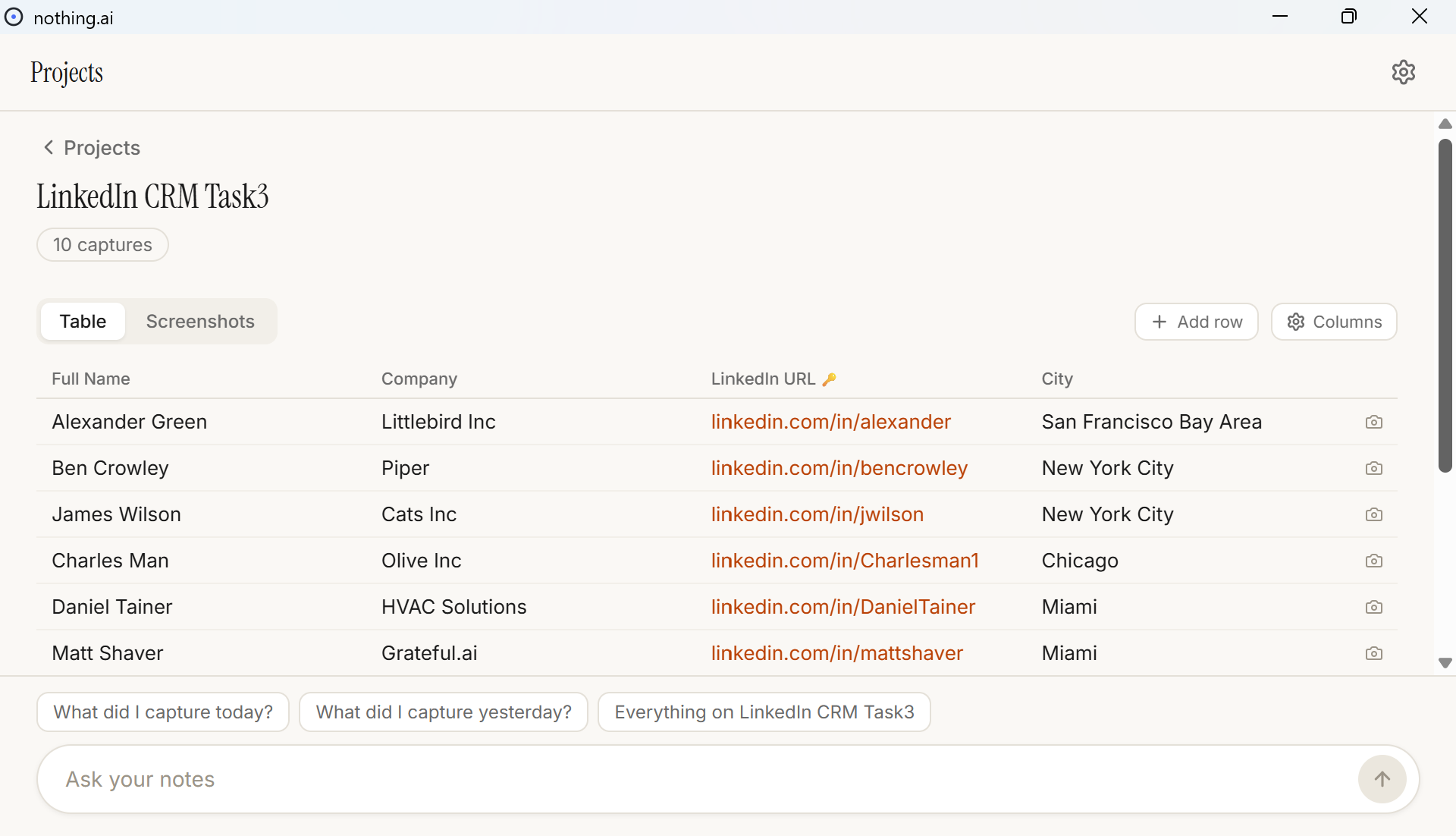
A real spreadsheet, not a wall of screenshots.
Typed cells — currency, dates, clickable URLs. Click to edit. Toggle to Screenshots to see the raw captures chronologically. A camera icon on each row shows exactly which screenshot(s) built it.
Try it free. Then $9.99/mo.
10 free captures — genuinely try it, no card required.
After that, $9.99/mo. Cancel anytime.
Column management
Add, rename, or delete columns anytime. Can't delete the key column without picking a new one first — matching never breaks silently.
Cross-project search
Alt+D jumps to your most recent capture, Ctrl+D opens a pure search across every project — type a name, get matches from every table.
Ask your notes
Deeper natural-language questions across all your projects from the main window's search bar — always grounded in real rows, never invents an answer.
Manual rows
No screenshot? Hit + Add row and log it by hand. The table doesn't care where a row came from.
Your screen, your call.
stored on your machine
Screenshots are saved locally by default. You choose how long they're kept.
never used for training
What you capture is never used to train any model, ours or anyone else's.
pause anytime
One toggle stops all capture. Block specific apps so it never sees them.
Captures are processed by a model provider and not retained after processing. Full detail in our privacy policy.
early testers are already turning screenshots into rows instead of losing them.
Questions
Is it Windows-only?
Yes, today. macOS is coming — you can join the waitlist from the download page.
What happens after my 10 free captures?
You'll need to subscribe ($9.99/mo, cancel anytime) to keep capturing. Everything you've already saved stays yours.
Is my data used to train anything?
No. Screenshots are never used to train any model, ours or anyone else's.
What does "faceless" actually mean?
There's no app window to manage day to day — Alt+N and Alt+S capture straight into your projects, and a Windows notification confirms the row either way. Open the app only when you want to look at a table.
Can I have more than one project?
Yes — unlimited projects, each with its own schema. Capturing always requires an active project; the hotkey prompts you to create one if you don't have any yet.
What happened to my old captures?
Anything from before the update was automatically archived on first launch — recoverable from Settings anytime.
Stop copy-pasting screenshots into spreadsheets by hand.
10 free captures, then $9.99/mo — cancel anytime.
macOS coming soon